

What is NSBatch
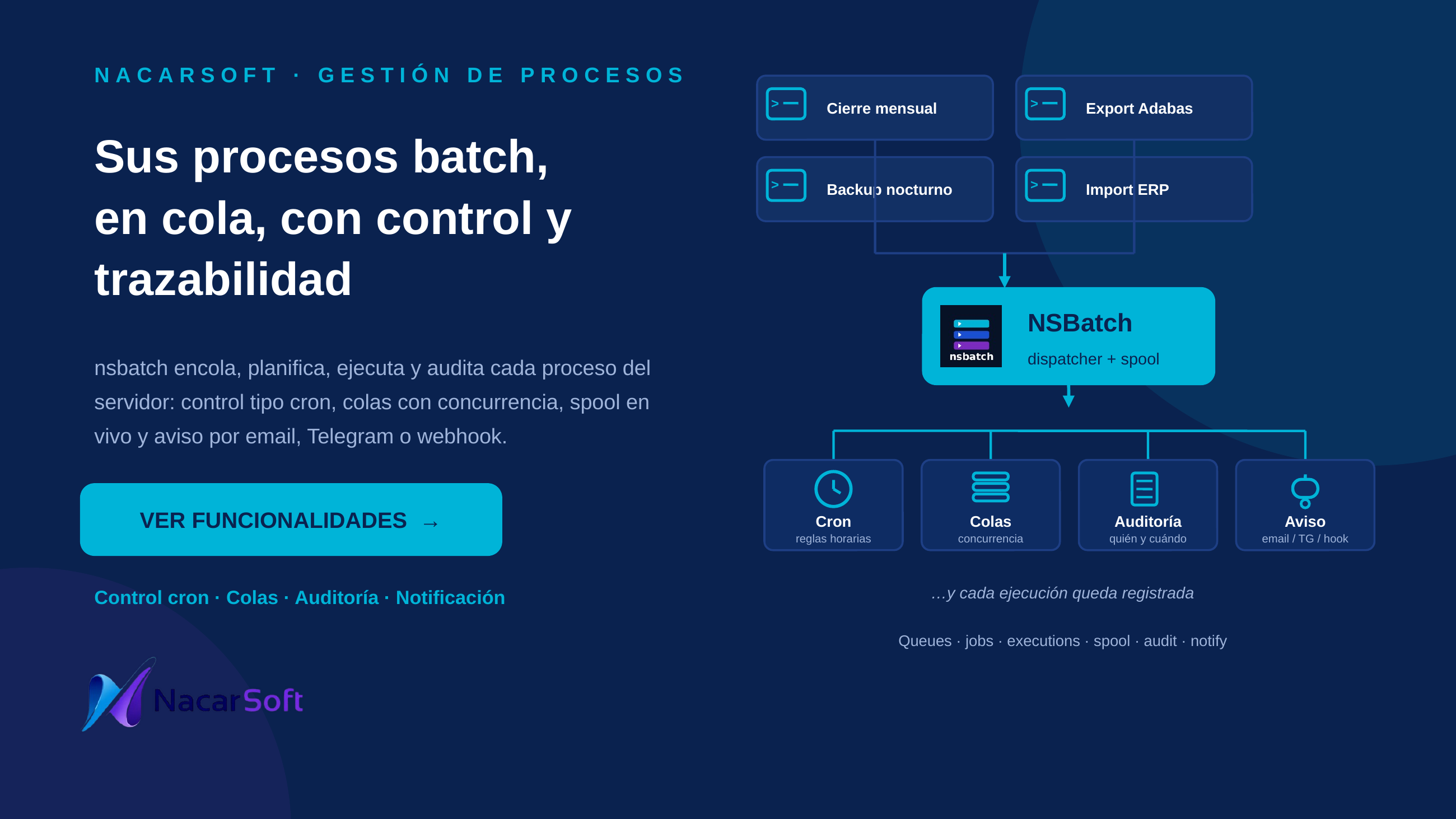
nsbatch (NSBatch) is a process queue manager: it catalogs jobs (shell commands with queue, timeout, and notifications), enqueues them as executions (one PID each, states QUEUED|HOLD|RUNNING|OK|ERROR|CANCELLED), keeps live log spool, schedules repeats with simple cron rules, and enforces RBAC. Each service lives in its own environment directory (config.yaml + db/ + spool/ + logs/), and multiple environments are handled by instance name (-i / NSBATCH_ENV).
Job, queue, host, and email names in the examples are fictional.
Use cases
1. Set up and create the first nightly job
Create the environment, start it, and register the CIERRE job in the BATCH queue.
nsbatch init ./myqueues
nsbatch register prd ./myqueues
nsbatch start prd --port 11050
nsbatch queues list -i prd                       # initial SYSTEM, BATCH, RAPIDA, NOCTURNA
nsbatch jobs create --name CIERRE --command "/opt/bin/cierre.sh" --queue BATCH -i prd --timeout 7200
nsbatch submit CIERRE -i prd --params "--fecha 20260904"
nsbatch execs RUNNING -i prd
Web flow: login (admin/admin123, change after first login) → Jobs tab → create → Enqueue → Executions tab → live spool.
2. Schedule the weekday close at 02:30
Cron rule (time + weekdays), with next-run preview and history.
nsbatch jobs cron CIERRE add --time 02:30 --days 1,2,3,4,5 -i prd
nsbatch jobs cron CIERRE next -i prd
nsbatch jobs cron CIERRE history --limit 20 -i prd
Web flow: the 🕒 button on the job → add rule → rule list and per-rule history. If executions are still active at fire time, the run is skipped with a warning (skips counter, schedules.log event, audit entry) instead of overlapping.
3. Handle an incident: hold, move, and rerun
Hold a problematic execution, move it to the fast queue, and rerun a failure.
nsbatch execs ERROR --job CIERRE --limit 10 -i prd
nsbatch exec show 42 -i prd
nsbatch exec log 42 -i prd --lines 50
nsbatch exec hold 42 -i prd
nsbatch exec move 42 --queue RAPIDA -i prd
nsbatch exec release 42 -i prd
nsbatch exec rerun 42 -i prd
nsbatch exec cancel 42 -i prd
4. Pause a queue and notify on errors
Freeze the BATCH queue without losing queued work, and enable error notification.
nsbatch queues pause BATCH -i prd
nsbatch jobs update CIERRE --notify-error --to "ops@company.com" -i prd
nsbatch queues open BATCH -i prd
Queue states: OPEN (runs and accepts), PAUSED (accepts, does not run), CLOSED (neither). Delivery results stay in the spool; a mail failure never affects the execution.
Interface


Reference
CLI commands
| Command | Description |
|---|---|
init [dir] [--force] | Creates the environment (config.yaml + db/ + spool/ + logs/, admin/admin123, SYSTEM, BATCH, RAPIDA, NOCTURNA queues) |
start [dir|name] [--port N] | Starts the daemon (log at <dir>/logs/nsbatch.log) |
stop [dir|name] | Stops the server |
status [dir|name] | Running state, PID, listen address, config |
license [dir|name] | License/trial status, client, fingerprint |
submit <job|id> [dir|name] [--params ...] [--queue <queue|id>] [--as user] | Enqueues without the web UI; stays QUEUED if the server is down |
queues list|create|open|close|pause|delete | Queue management. create: --name (req.), --desc, --max (def. 2), --prio 0-100 (def. 50), --color #rrggbb |
jobs list|create|update|delete|cron | Catalog. create: --name, --command, --queue (req.), --desc, --timeout (def. 3600), --to, --notify-start/--notify-end/--notify-error, --no-notify-start/--no-notify-end/--no-notify-error |
jobs cron <job> list|add|enable|disable|delete|next|history | Rules: add --time HH:MM (req.) [--days 0-6] [--month-days 1-31] [--params ...] [--queue <queue>] [--catch-up] [--off]; history [--rule ID] [--limit N] |
execs [STATE] [--queue X] [--job Y] [--limit N] | Lists (QUEUED|HOLD|RUNNING|OK|ERROR|CANCELLED|all, def. 30) |
exec show|cancel|rerun|move|hold|release|log <id> | move --queue <queue>; log [--lines N] [-f|--follow] |
users [create] | create --username X --password Y (min. 6; aliases --user/--name, --pass), --fullname, --email |
groups [create] | create --name X [--desc D] |
roles | Lists roles and permissions (admin, queue:manage, job:manage, job:submit, exec:cancel, exec:rerun, exec:move, spool:view, users:manage) |
audit [--limit N] | Latest audit entries |
dashboard | KPIs: running now, queued, today’s OK/errors, queue states, last 5 executions |
schedlog log [--limit N] [--type queue|job] / pending / history [--limit N] | schedules.log viewer, pending one-shots, history |
purge [--days N] [--dry-run] | Purges old terminal one-shots (def.: history.retention_days, 90); never touches cron rules or executions |
config show|set <key> <value>|smtp-test|telegram-test|webhook-test | View/edit config.yaml, test notifications (email, telegram, webhook) |
register <name> <path> / deregister / instances | Instance registry at ~/.nsbatch/instances.yaml |
Global flags: -i, --instance, --config <dir>, --port <n>, --version. Variable NSBATCH_ENV (deprecated alias NSQUEUE_ENV). Jobs receive NSQ_JOB, NSQ_EXEC, NSQ_ATTEMPT.
Main configuration (config.yaml)
| Key | Description |
|---|---|
server.host / server.port | Listen address (def. 0.0.0.0:11050) |
database.path | SQLite (./db/nsbatch.db) |
auth.cookieName / jwtSecret / jwtExpiryMin | Session (def. 480 min) |
license.trial_days | Trial (30) |
spool.dir / max_mb / retention_days | Spool (./spool, 50 MB, 30 days) |
history.retention_days | Retention used by purge (90) |
smtp.* / notify.methods / telegram.* / webhook.* | email,telegram,webhook notifications |
i18n.default | Language (es) |
Web UI areas
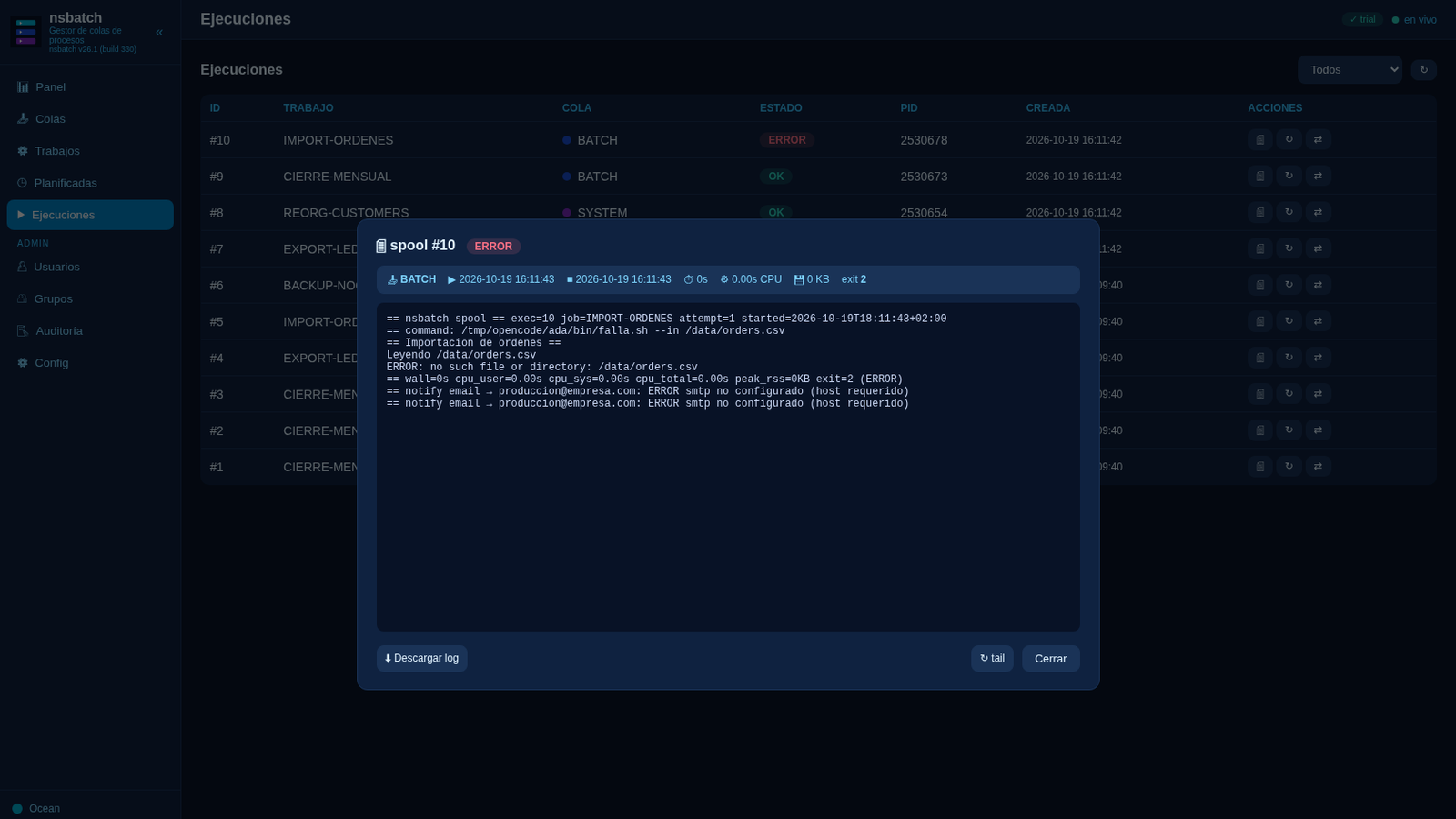
Queues (state, RUN/MAX, queued, open/close/pause) · jobs (catalog, create/edit, 🔔 notifications) · executions (state filter, detail with times/CPU/memory, live spool) · schedules (🕒 button per job: rules + add + history) · users, groups, and roles · audit · config.
Commented examples
# Weekday close 02:30 + monthly on day 1 at 08:00 with catch-up
nsbatch jobs cron CIERRE add --time 02:30 --days 1,2,3,4,5 -i prd
nsbatch jobs cron CIERRE add --time 08:00 --month-days 1 \
  --params "--modo mensual" --catch-up -i prd
nsbatch jobs cron CIERRE list -i prd
nsbatch jobs cron CIERRE next -i prd

# Traceability: executions of one rule, then dry-run purge
nsbatch jobs cron CIERRE history --rule 2 --limit 20 -i prd
nsbatch schedlog log --limit 50 -i prd
nsbatch purge --dry-run -i prd
nsbatch purge --days 30 -i prd

# Job with start/end/error notifications
nsbatch jobs create --name AVISO --command "echo hola" --queue RAPIDA -i prd \
  --notify-start --notify-end --notify-error --to "ops@company.com,duty@company.com"
FAQ
What happens if I submit while the server is down? It warns and the execution stays QUEUED until start (with --catch-up, cron rules fire once at startup if today’s time already passed).
Do cron rules overlap? No: if executions are still active at fire time, the run is skipped with a warning (skips + schedules.log + audit).
Does purge delete my schedules? No: it only purges old terminal one-shots; cron rules and executions are untouched (the spool has its own janitor).
How do I migrate from nsqueue? nsbatch only migrates the layout (db/nsqueue.db → db/nsbatch.db, logs) and schema; re-issue the license (nslm issue --app nsbatch ...). NSQ_* are unchanged.