NSAdaSync
v26.1 (build 214) · Web
Your Adabas data replicated to SQL, NoSQL or streaming.
- ✓ Initial load and streaming to the same target
- ✓ File → table subscriptions with checkpoints
- ✓ Nine targets: Oracle, PostgreSQL, Kafka…
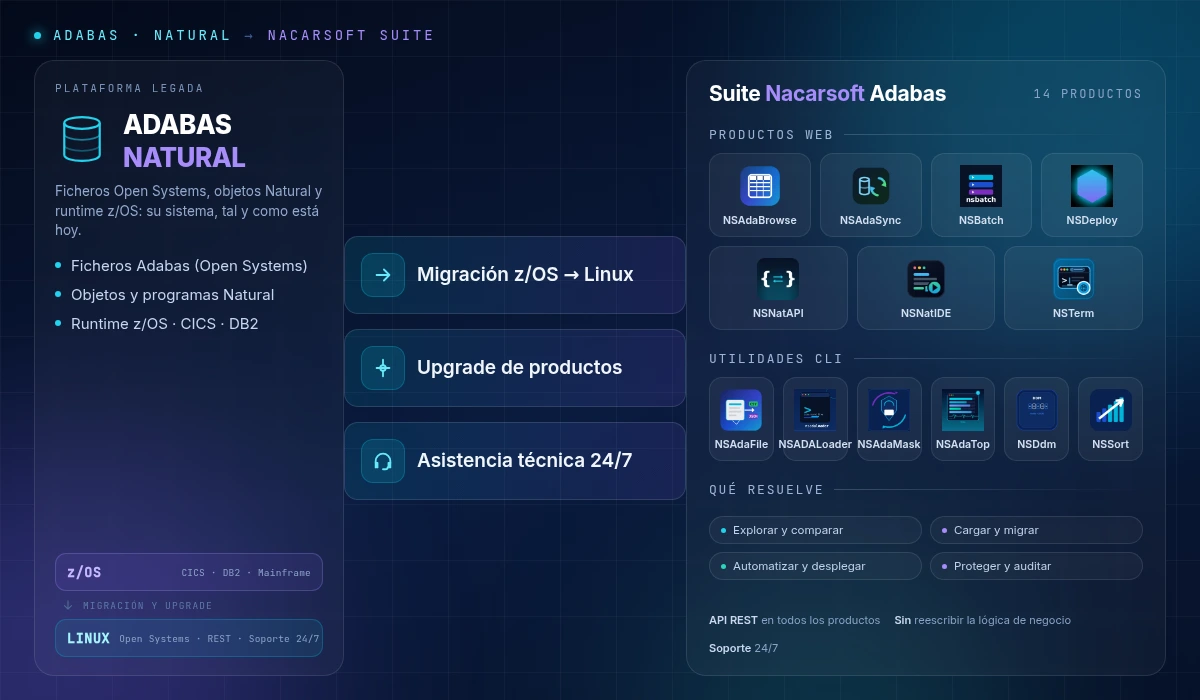
8 products with direct access to your Adabas/Natural data via REST APIs
Explore the files, replicate the data to your systems, schedule the batch, publish the files and deploy Natural. Direct access to Adabas and Natural from the browser and through REST APIs, ready to plug into your applications. Eight products designed to complete your installation, not to replace your business logic.
You do not need to know the product name. Tell us what hurts and we will point you to the right one.
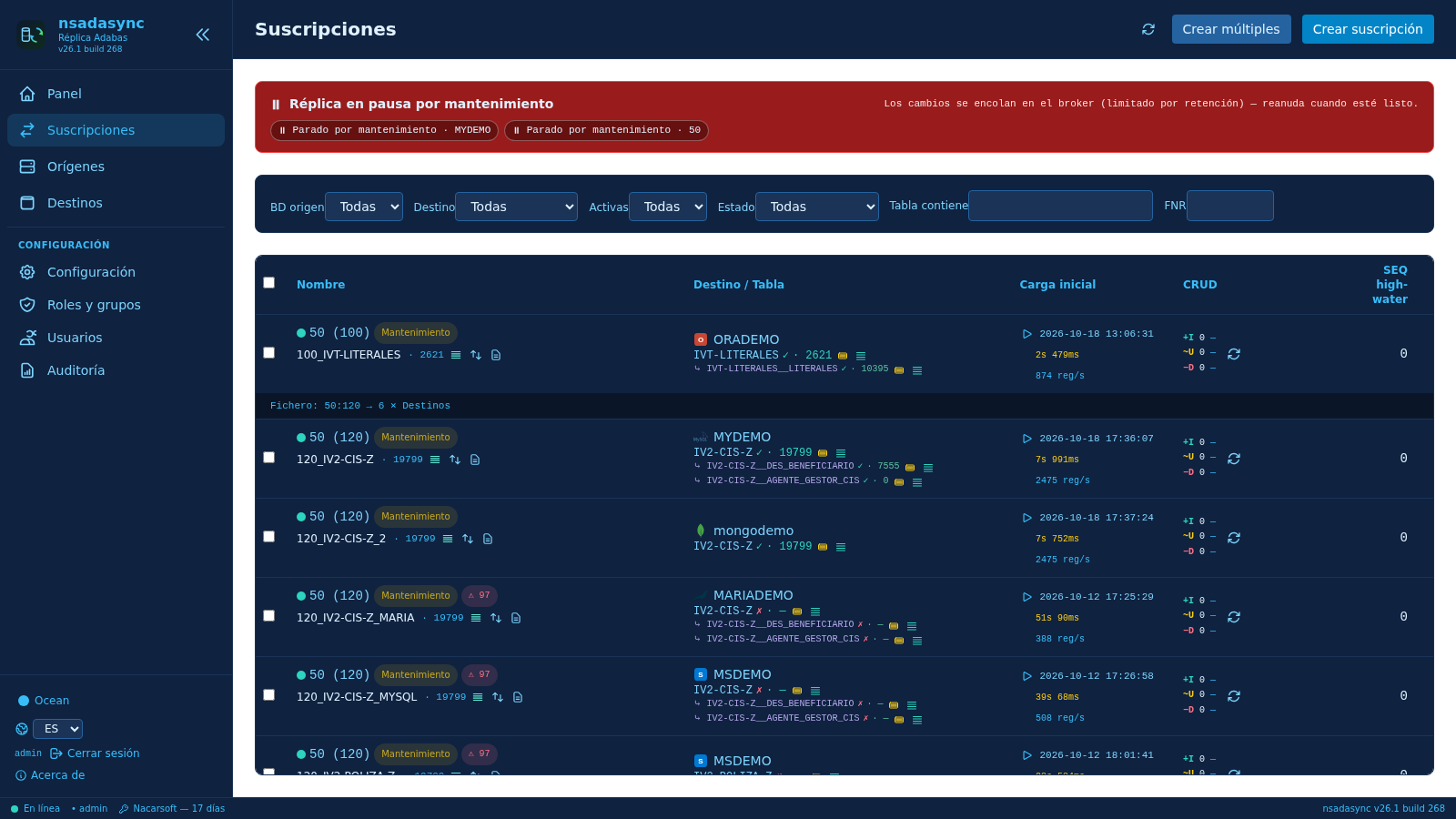
Replicate every change to SQL, NoSQL or streaming, with initial load and resumable checkpoints.

Open the file in the browser, filter by field or ISN and export what you need.

Schedule the job, watch the spool live and get the alert by email or Telegram when it ends.

Publish the terminal over HTTPS with RBAC and auditing, without SSH.

Folders published per group, viewed and edited in the browser, with remote access over SFTP.
Expose your Natural subprograms as a REST API, with tokens and RBAC, without EntireX.

A Natural IDE in the browser: edit, compile and deploy, with AI-assisted review.

Versioned SYSOBJH packages and DEV → TST → PRD deployment with full traceability.
Every change to your Adabas files leaves the nucleus through a minimal user exit, travels through a persistent queue and lands in your target tables: Oracle, PostgreSQL, MySQL, MariaDB, SQLite, MSSQL, MongoDB, Elasticsearch or Kafka. Initial load and continuous streaming to the same target, with resumable checkpoints.
Web applications to run your Adabas/Natural from the browser and over REST APIs. Nothing to install on the desktop.
Your Adabas data replicated to SQL, NoSQL or streaming.
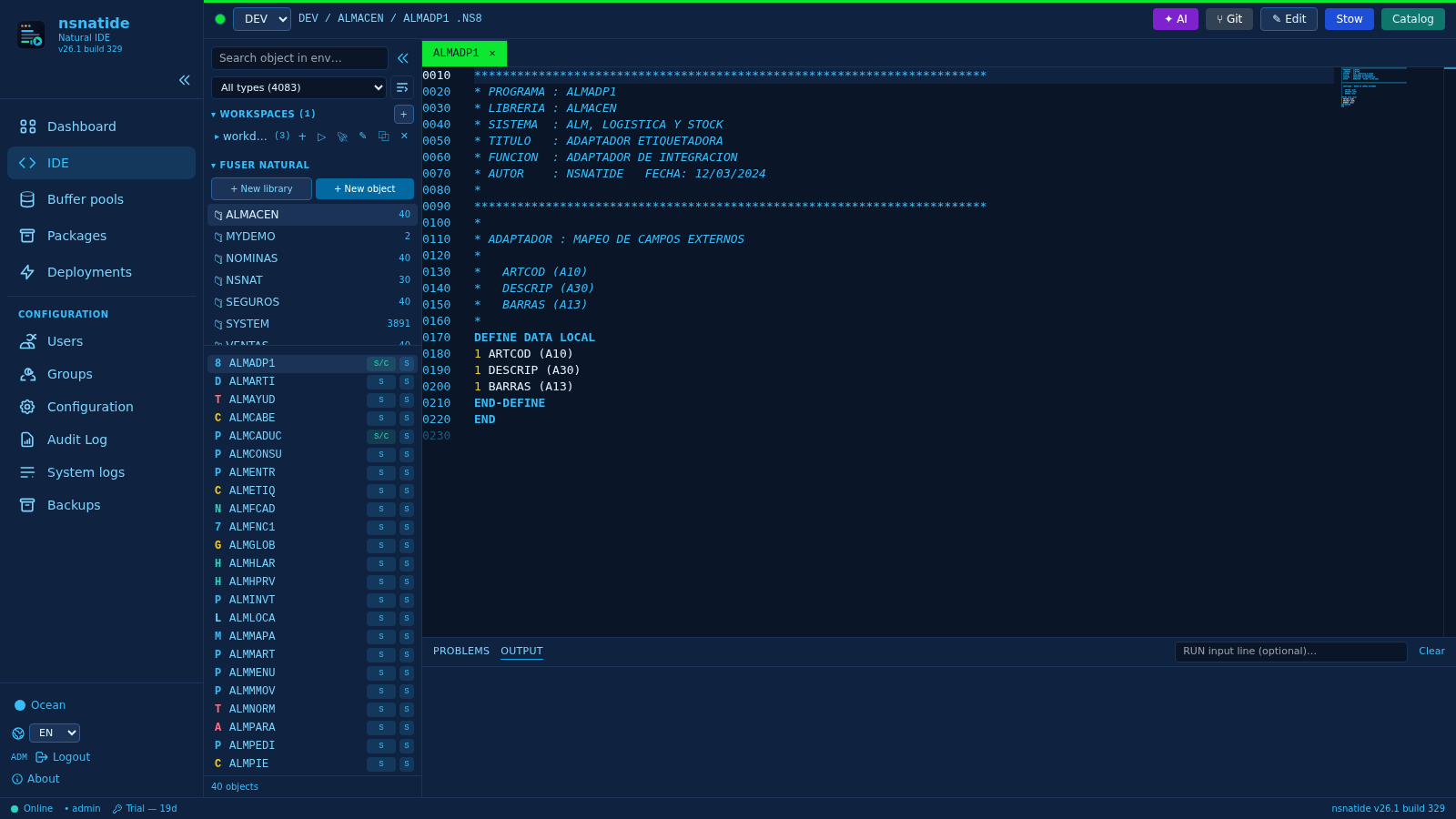
A Natural IDE in the browser, with AI.
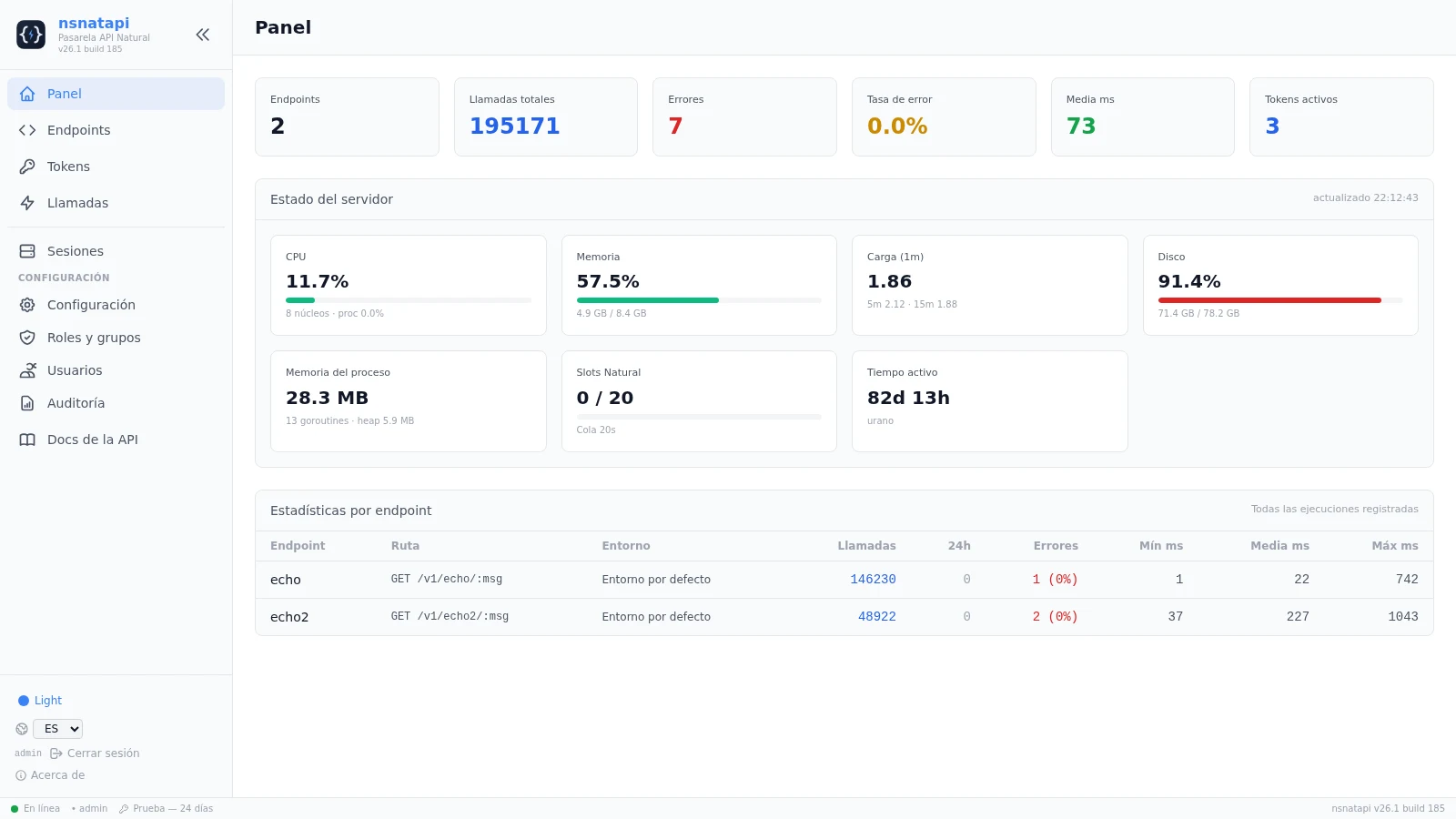
Your Natural subprograms, as a REST API. No EntireX.

Every nightly close, queued and reported.
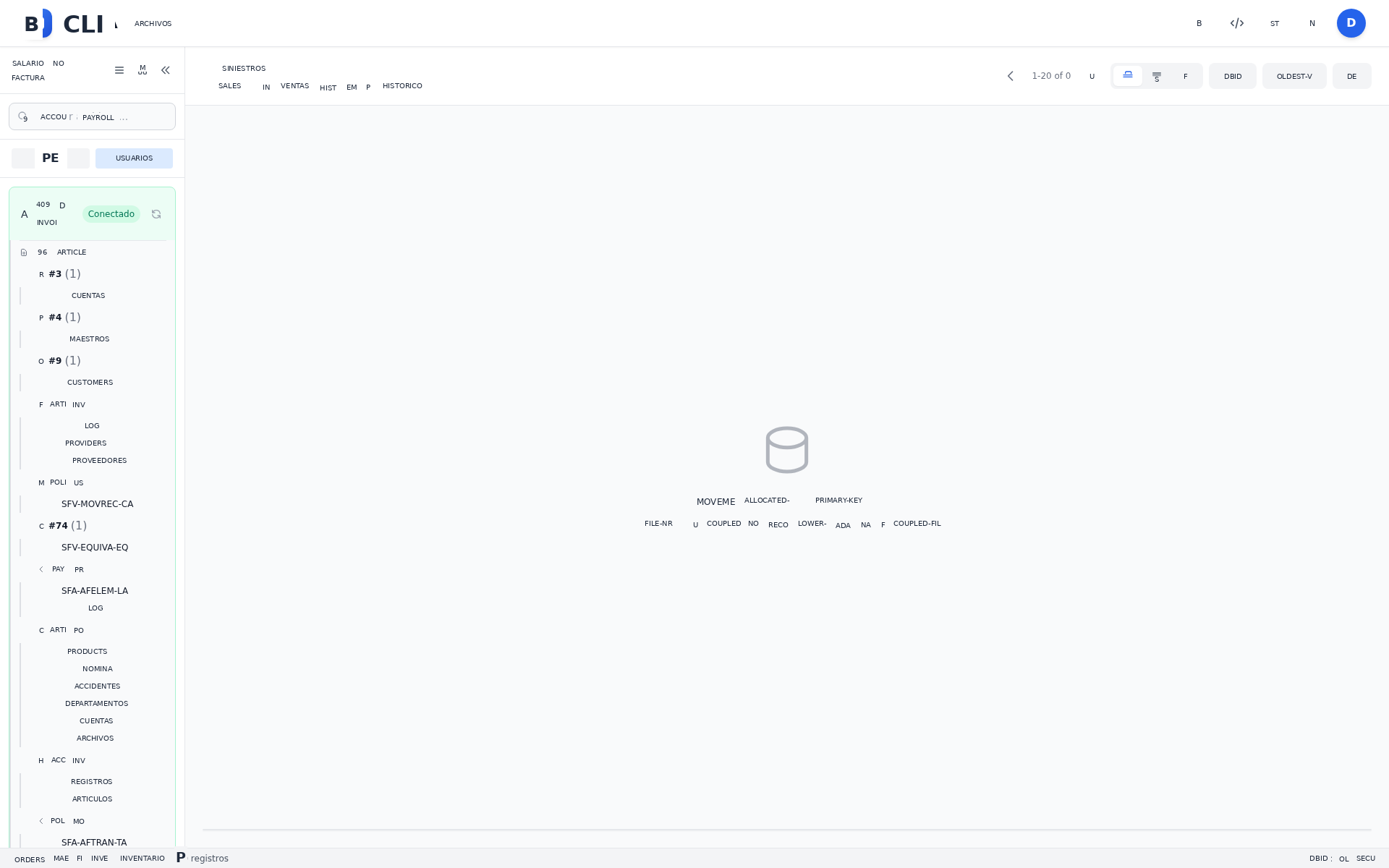
Your Adabas data in the browser, with RBAC and its own REST API.

The server shell in the browser: no SSH, full audit.

The server file manager, published as a web app.

Deploy Natural objects to every environment.
Installed on the server and wired into your scripts: extraction, loading, anonymisation, DDM, monitoring and sorting.

High-performance file sorting, with no intermediate copies.

Extract Adabas to CSV, JSON or XML, non-blocking.

DDM extraction and file reorganization for Adabas.

Live Adabas session monitor, in your terminal.

Deterministic anonymisation of personal data.

Bulk-load files into Adabas, with control and traceability.
One contract, one license, one support team: the web products and the CLI utilities ship in the same package.
One table to decide quickly. Combine the ones you need: they form a suite.
| Producto | Explore data | Schedule batch | Publish files | Integrate via API | Write code | RBAC and audit |
|---|---|---|---|---|---|---|
| NSAdaSync | ✓ | — | — | ✓ | — | ✓ |
| NSNatIDE | — | — | — | ✓ | ✓ | ✓ |
| NSNatAPI | — | — | — | ✓ | ✓ | ✓ |
| NSBatch | — | ✓ | — | ✓ | — | ✓ |
| NSAdaBrowse | ✓ | — | — | ✓ | — | ✓ |
| NSTerm | — | — | ✓ | — | — | ✓ |
| NSFS | — | — | ✓ | — | — | ✓ |
| NSDeploy | — | — | — | ✓ | ✓ | ✓ |
The command-line utilities (NSAdaFile, NSAdaLoader, NSAdaMask, NSDdm, NSDatop, NSSort) complete the suite: extraction, loading, anonymisation, DDM, monitoring and sorting.
Each component covers one stage. Together they cover the whole data cycle.
DDM and core files
Streaming to SQL/NoSQL
CSV, JSON, XML, bulk load
Queues, cron, spool, alerts
Terminal and files on the web
REST API and Natural IDE
No. Each component is licensed separately and covers one specific case. Most teams start with NSAdaBrowse or NSBatch and grow from there.
Products are web applications you use from the browser, with their panel, their API and their audit trail. Utilities are command-line programs installed on the server and wired into your scripts. They are licensed separately.
Yes: they connect through your native client (ACJ/RPC) to the databases you declare, with the DDM in JSON. You never migrate your core.
No. The products run from the browser (PC, tablet or phone) and the utilities are installed only on the server.
Implementation support, team training, and support for incidents and updates.
With your databases, your files and your schedules. In a guided demo with your own data.
nacarsoft.com · support@nacarsoft.com
One contract for the full suite, with 365 days of support and maintenance.
Utilizamos almacenamiento local (localStorage) para recordar su idioma y tema visual. No instalamos cookies de terceros. Si Google Analytics está configurado, solo se activará tras aceptar. Más información en nuestra Política de Cookies.